Website Design Tips for Small Business Owners

Written by
Josh Pather
Josh is the founder of Lead Fuel CRM, an all-in-one marketing and CRM platform for local service businesses. He built and automated his own service company before helping other owners do the same.
Introduction
A good small business website loads fast, works on a phone, and makes it easy to call or book. It says what you do and where, shows real proof, and points every visitor to one clear next step. Keep it simple and connect it to your follow-up, and your site turns lookers into booked jobs.
A customer hears about you and looks you up. Your website takes forever to load. The buttons are tiny on their phone. They cannot find your number. So they hit back and call the next guy.
That happens more than you think.
Your website is your hardest-working salesperson. It works nights, weekends, and while you are on a job. But only if it is built right. Here are simple website design tips for small business owners that help your site bring in real work, not just sit there looking pretty.
Make Your Website Load Fast
Speed is the first thing that quietly kills a website. People will not wait.
A 2017 Think with Google study on mobile page speed found that 53% of people leave a mobile page if it takes more than 3 seconds to load. Half your visitors are gone before they even see you.
Keep it light. Use fewer big images. Skip the auto-play video that takes ten seconds to start. Google also recommends fast, stable pages as part of a good page experience, which you can read about in Google's Core Web Vitals guide. A fast site keeps people around long enough to become customers.
Design for Phones First
Most people will find you on their phone, not a laptop. So build for the phone first.
That means big text you can read without pinching. Buttons big enough to tap with a thumb. A menu that is easy to use one-handed. If someone has to zoom in to find your number, your design is working against you.
Here is a quick test. Pull up your own site on your phone right now. Try to call yourself in under five seconds. If you cannot, your customers cannot either.
Put Your Phone Number and Booking Up Top
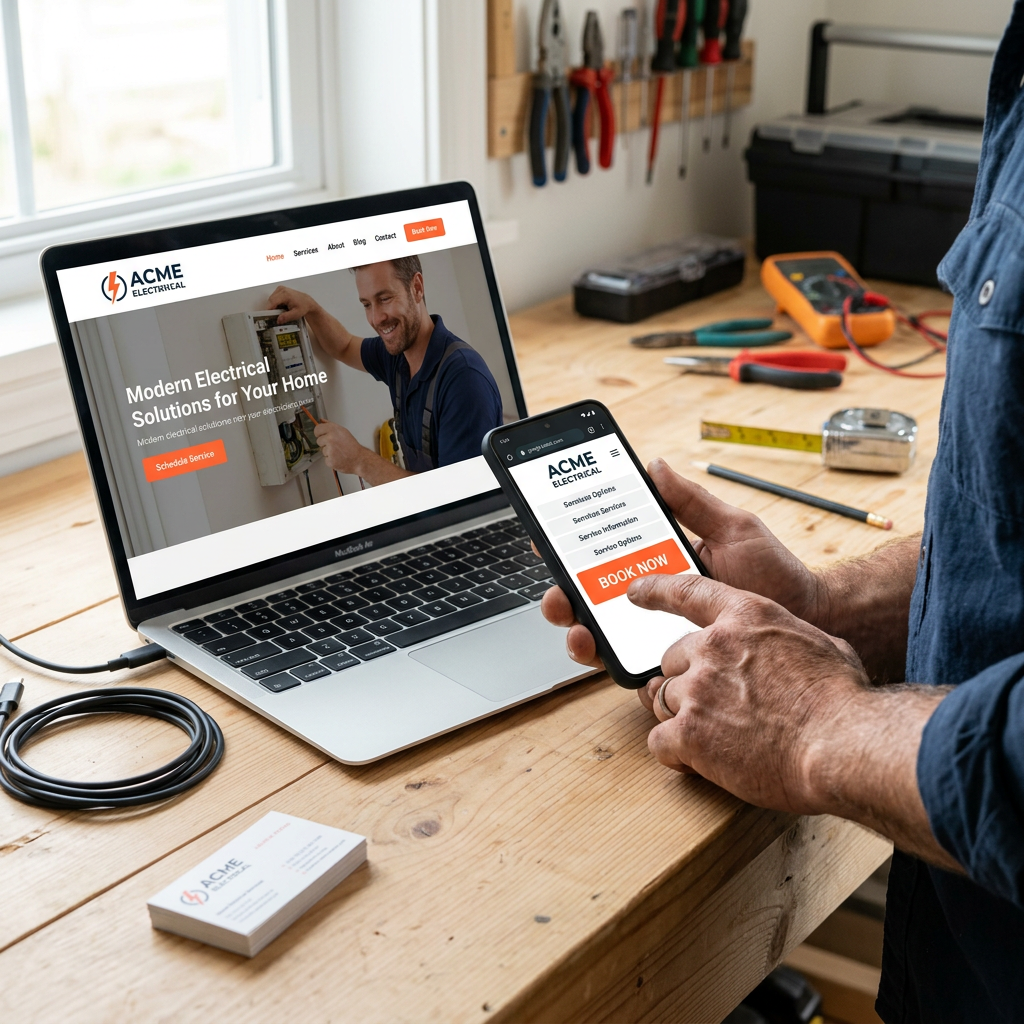
Do not make people hunt. Your phone number should sit at the very top of the page, tap-to-call ready. Add a big "Book Now" button next to it.
Why does this matter so much? Because the business that answers first usually wins the job. If a visitor can book in two taps at 9 p.m., you just caught a lead your competitor missed. Add an online booking system so people can grab a slot themselves, day or night, without playing phone tag.
One booked job from one late-night visitor can be a $4,000 job you would have lost.
Say What You Do and Where in Plain Words
A visitor should know what you do and where you do it within three seconds of landing. No clever slogans. No mystery.
Put it right in your headline. "Lawn Care in Rockwall, TX." "Emergency Plumbing for Dallas Homes." Plain words win.
This helps people and Google. Google's own local ranking tips say local results are based on relevance, distance, and prominence, and that complete, detailed business info helps Google match you to the right searches. In plain English: tell Google and your customer exactly what you do and where, in words a real person would type.
Show Proof With Reviews and Real Photos
People trust other people, not ads. Show them proof.
- Reviews. Put your best Google reviews right on the homepage. Real names, real words.
- Real photos. Use photos of your actual work and your actual team. Skip the stock photos of models in hard hats. Customers can tell.
- A real face. A quick photo of you, the owner, builds more trust than any logo.
Reviews do double duty. They win over the visitor on your site, and they help you get found on Google. You can collect more Google reviews on autopilot by sending a friendly request after every job.
Want to see how your website stacks up on speed, reviews, and search right now? Grab your free audit, and we will point out the fixes that matter most.
Make the Next Step Obvious
A confused visitor does nothing. Every page should point to one clear action.
Pick the one thing you want people to do. Call. Book. Fill out a form. Then make that the loudest button on the page. Use the same action again at the bottom, so people who scroll all the way down do not have to scroll back up.
Do not bury it under five other links. One clear path beats ten clever ones.
Keep It Simple and Connect It to Your Follow-Up
The best small business sites are simple. A slick site that confuses people is worse than a plain one that works.
As I learned running my own business, the simple version usually wins. Or as I like to say, I keep it simple. There's no secret about that.
A pretty website that just sits there is a waste. Your site should feed your follow-up. When someone fills out a form, that lead should drop straight into your system and get a text and email in seconds. That is the difference between a brochure and a machine that books jobs. Lead Fuel connects your website, booking, reviews, and follow-up so you can run it all from one dashboard.
Frequently Asked Questions (FAQs)
How much should a small business website cost?
It depends on how you buy it. A custom site from an agency can cost thousands of dollars upfront, plus more for changes. Many owners now use a flat monthly plan instead, which spreads the cost and usually includes hosting and updates. Look at the total cost over a year, not just the sticker price.
Do I need a website if I already have a Facebook page?
Yes. A Facebook page is good, but you do not own it or control it. A website is yours. It shows up in Google searches, it can take bookings, and it makes you look like a real, established business. Use both, but the website is home base.
Should I build the website myself or hire someone?
Either can work. Building it yourself saves money if you have the time and patience. Hiring someone saves time and usually looks more professional. If you are busy running jobs, a done-for-you website that also connects to your follow-up is often worth it.
How long does it take to get a website up?
A simple, well-planned site can go live in a few days. A big custom build can take weeks. The trick is to launch a clean, fast site quickly, then improve it. A live site that books jobs beats a perfect site that never ships.
Can a good website help me show up on Google?
It helps. Google looks at page experience, like speed and mobile-friendliness, and it rewards clear, complete info about what you do and where. A fast, clear, review-backed site gives Google what it needs to match you to local searches.
Turn Your Website Into a Job-Booking Machine
Your website does not need to be fancy. It needs to be fast, easy on a phone, and clear about what you do. Show real proof. Make the next step obvious. Then connect it to your follow-up so no lead goes cold.
Start with one fix this week. Pull up your site on your phone and time how long it takes to load and call. That one test will show you where to start.
Want a second set of eyes first? Get your free marketing report to see how your site is doing, or check the monthly plans to get a site that books jobs.
---
Josh Pather is the founder of Lead Fuel CRM, an all-in-one marketing and CRM platform for local service businesses. He built and automated his own service company before helping other owners do the same. His prior company was named one of the fastest-growing private companies in Texas by Inc. (No. 63, Regionals: Texas, 2020).